31:35
BK01. Getting Started with BECKHOFF TwinCAT 3 - How to Set Up PLC Project, Variables, and Program
17:40
BK02. How to Simulate BECKHOFF TwinCAT PLC Project via Virtual Machine System
10:37
BK03. Beckhoff CX2030 Device Manager Dashboard and Windows System Tutorial
22:21
BK04. How to Connect Beckhoff Controller using TwinCAT 3 (2 Scenarios)
22:39
BK05. How to Link Tags/Variables to Hardware Signal Modules in TwinCAT3 PLC
27:51
BK06. How to Retain Variables in Beckhoff TwinCAT3 via "PERSISTENT"
11:27
BK07. Use 'Scan' in TwinCAT 3 to Upload and Compare Hardware Configuration
7:41
BK08. Beckhoff TwinCAT 3 Licensing
14:28
BK09. How to Retain/Persistent Variables using Beckhoff TwinCAT3 CX9020 U900 UPS
25:59
BK10. Beckhoff TwinCAT3 LD(Ladder Logic) & ST(Structure Text) Programming
41:49
BK11a. [1/2]Beckhoff TwinCAT3 Sequence Control by Using "Case..Of" [Sequence Structure]
49:29
BK11b. [2/2] Beckhoff TwinCAT3 Sequence Control - Commissioning Test [Valve Sequence Control]
13:35
BK12. How to Match Version of TwinCAT3 Software and Hardware (CX9020 OS Firmware Upgrade)
34:51
BK13. Beckhoff TwinCAT3 Encoder Settings EL5021(SinCos Encoder) EL5151(Incremental Encoder)
12:02
BK14. Upload Beckhoff TwinCAT3 Controller and Online/Offline Project Compare
39:54
BK15. 10 Tips & Tricks of Beckhoff TwinCAT 3 Programming (HD)
24:12
BK16. Using "Compiled Library" to Protect Source Code in Beckhoff TwinCAT 3 Project
30:13
BK17. Beckhoff TwinCAT 3 Datalogging or Recipe via CSV Reading and Writing
14:25
BK18. Beckhoff TwinCAT - How to solve the Zero Denominator in Division Calculation
8:37
BK19. Beckhoff TwinCAT - Is 10000.1 - 10000.0 = 0.1? Floating Point Precision
56:02
BK20. Variable Data Snapshot / Archive via Beckhoff TwinCAT 3 Recipe Manager
46:22
BK21. Correlation Coefficient Calculation via TwinCAT PLC Structured Text (ST)
19:49
BK22. Beckhoff TwinCAT Project Folders and 'Save as Archive'
33:10
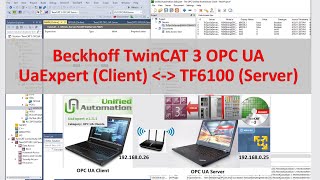
COM08a. OPC UA Beckhoff - TwinCAT 3 TF6100(OPC UA Server) and UaExpert(OPC UA Client)
32:12
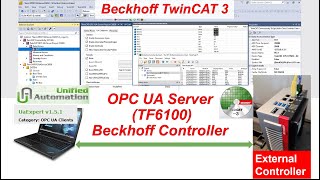
COM08b. OPC UA Beckhoff - TwinCAT 3 TF6100 (OPC UA Server) Beckhoff IPC Controller (C6030)
31:07
COM10. Connect Beckhoff TwinCAT3 PLC to Kepware KEPServerEX (Two Scenarios)
8:05
COM11. Connect Beckhoff TwinCAT3 Controller(CX9020 PLC) to Kepware KEPServerEX(ADS TC1000)
30:25
COM14. EtherNet/IP - Beckhoff TwinCAT 3 (TF6280 Adapter) and Allen-Bradley CompactLogix PLC (Master)
40:27
COM15. Profinet Between Beckhoff TwinCAT 3 (TF6270) and Siemens PLC (TIA Portal)
28:56
COM23. EtherNet/IP - Beckhoff TwinCAT 3 (TF6281) Ethernet/IP Master(Scanner) and Real Hardware Test
34:59
COM25. OPC UA Beckhoff - TwinCAT 3 TF6100(OPC UA Client) and Siemens S7-1200 PLC(OPC UA Server)
26:58
COM33. TCP/IP Server via Beckhoff TF6310 TwinCAT
29:38
COM34. TCP/IP Client via Beckhoff TF6310 TwinCAT
35:36
COM35. Modbus TCP Client via Beckhoff TF6250 TwinCAT 3
12:11
PID21 - Beckhoff TC3 PID01 - TF4100 Controller Toolbox and TwinCAT3 PID Sample Program
16:27
PID22 - Beckhoff TC3 PID02 - Create TwinCAT Project, Hardware Configuration, and Cyclic Task Setting
38:10
PID23 - Beckhoff TC3 PID03 - Analog Input Wiring, Configuration, and 'SCALE' programming
18:51
PID24 - Beckhoff TC3 PID04 - Analog Output 0-20mA/4-20mA EL4014 'UNSCALE' programming
24:02
PID25 - Beckhoff TC3 PID05 - TwinCAT3 FB_CTRL_PID Offline Programming, CTRL_PID_PARAMS, E_CTRL_MODE
33:04
PID26 - Beckhoff TC3 PID06 - Apply a Second-Order Model as Controlled Object
26:37
PID27 - Beckhoff TC3 PID07 - Setup Watch Table and YT Scope Trend for PID Sp, Pv, and Output
23:56
PID28 - Beckhoff TC3 PID08 - Calc. PID Parameters via Ziegler Nichols Setting Rules (Step Response)
23:11
PID29 - Beckhoff TC3 PID09a - Tune PID Parameters (Kp, Tn, Tv) for Controlling a Cooling System
15:46
PID29 - Beckhoff TC3 PID09b - Demonstrate Tuning PID Proportional'Kp', Integral'Tn', Derivative'Tv'
14:31
PID30 - Beckhoff TC3 PID010 - PID Manual/Auto Bumpless Switch
11:48
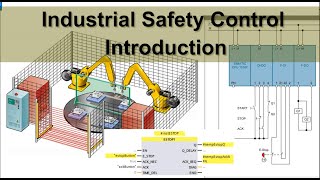
SA01. Industrial Safety Control Introduction
27:32
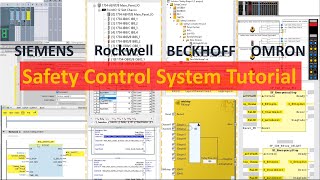
SA02. Safety Control System Tutorial Siemens, Allen-Bradley, Beckhoff, and Omron
15:18
SA03. EP01 Beckhoff Safety TwinSAFE - Series Introduction (EL6900 EL6910)
12:35
SA04. EP02 Beckhoff Safety TwinSAFE - Online Connect Controller and Create Safety Project
17:42
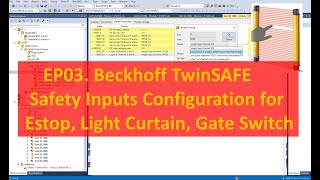
SA05. EP03 Beckhoff Safety TwinSAFE - Safety Inputs Configuration for Estop, LightCurtain, and Gate
15:50
SA06. EP04 Beckhoff Safety TwinSAFE - Safety Outputs Configuration
30:10
SA07. EP05 Beckhoff Safety TwinSAFE - Connect Safety Inputs to Safety Function Blocks
13:00
SA08. EP06 Beckhoff Safety TwinSAFE - Connect Safety Outputs to Safety Function Blocks (SafeMon)
22:35
SA09. EP07 Beckhoff Safety TwinSAFE - Safety Control Logic Programming
29:50
SA10. EP08 Beckhoff Safety TwinSAFE - Connect Standard PLC Tags to Safety PLC Tags
9:28
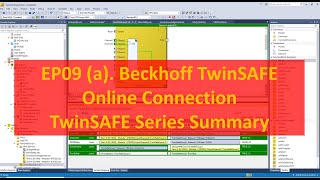
SA11. EP09(a)Beckhoff Safety TwinSAFE - Download EL6900/EL6910 and Online Safety Program
10:04
SA11. EP09(b)Beckhoff Safety TwinSAFE - Download EL6900/EL6910 and Online Safety Program
7:15
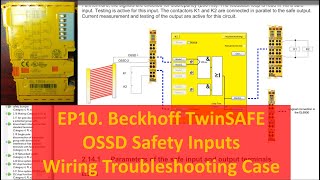
SA12. EP10 Beckhoff Safety TwinSAFE - EL1904 OSSD Wiring Troubleshooting
16:39
HMI01. Beckhoff PLC HMI - Introduction and HMI Screens Setup (1/6)
22:44
HMI02. Beckhoff PLC HMI - Momentary Button, Indicators, & Data Field (Int, Real) (2/6)
15:24
HMI03. Beckhoff PLC HMI - Toggle Button, Alternate Indicators, & Screen Switch (3/6)
22:02
HMI04. Beckhoff PLC HMI - Main Screen, Header, Screen Navigator, and Tc3PlcHMI.exe (4/6)
24:56
HMI05. Beckhoff PLC HMI - Trend Curve via Histogram (5/6)
13:42
HMI06. Beckhoff PLC HMI - Read Windows System 'Date and Time' to PLC HMI (6/6)
5:48
MB01. [TwinCAT 3 NC] Motion Control Hardware and Software Brief Introduction [1/20]
21:24
MB02. [TwinCAT 3 NC] Create Project, I/O Configuration, and Setup Motion Axis [2/20]
20:11
MB03. [TwinCAT 3 NC] Axis Control Panel - Motion Online Test [3/20]
13:20
MB04. [TwinCAT 3 NC] How to use YT Plot Curve to Monitor Axis Motion [4/20]
8:30
MB05a. [TwinCAT 3 NC] Call Motion Instructions Reset, Power, Home, Jog in TwinCAT3 [5/20]
21:12
MB05b. [TwinCAT 3 NC] Program MC Reset, Power, Home, Jog in TwinCAT3 [6/20]
10:33
MB05c. [TwinCAT 3 NC] Online Test MC Reset, Power, Home, Jog in TwinCAT3 [7/20]
18:05
MB06a. [TwinCAT 3 NC] Program MC_Velocity, MC_Relative, MC_Absolute Motion Control [8/20]
14:43
MB06b. [TwinCAT 3 NC] Online Test MC_Velocity, MC_Relative, MC_Absolute Motion Control [9/20]
16:51
MB07. [TwinCAT 3 NC] Online Test MC_Halt, MC_Stop to Stop Axis Movement [10/20]
11:10
MB08. [TwinCAT 3 NC Stepper] Beckhoff Stepper Motor Motion Control Opening Speech [11/20]
16:37
MB09. [TwinCAT 3 NC Stepper] KL2541 EL7041 Wiring with Stepper Motor with Encoder [12/20]
27:00
MB10. [TwinCAT 3 NC Stepper] Drive Stepper Motor on TwinCAT FreeRun Mode via KL2541 Terminal [13/20]
6:03
MB11. [TwinCAT 3 NC Stepper] Read Incremental Encoder via KL2541 Terminal and Scope Meter[14/20]
44:16
MB12. [TwinCAT 3 NC Stepper] NC Axis Drive and Encoder Parameter Settings[15/20]
21:00
MB13. [TwinCAT 3 NC Stepper] NC Motion Controller - Axis Ctrl Parameters [16/20]
25:15
MB14. [TwinCAT 3 NC Stepper] Use MC Power, Jog, Stop FB to Control Stepper Motor[17/20]
25:55
MB15. [TwinCAT 3 NC Stepper]Use MC MoveAbs MoveRel FB for Positioning Control[18/20]
39:15
MB16. [TwinCAT 3 NC] How to Home Encoder, Three Methods to Home Axis [19/20]
24:01
MB17a. [TwinCAT 3 NC] Changing Velocity On the Fly Via Override of MC_Power [20/20]
31:25
MB17b. [TwinCAT 3 NC] Changing Velocity On the Fly - Two MC Velocity FBs [21/21]
25:04
MB18. Beckhoff Drive AX8000 AX5000 Servo Motor Torque Limitation
7:35
MB20. [AX8000 Servo][0/10] Beckhoff AX8000 Motion Control Tutorial Open Speech
19:38
MB21. [AX8000 Servo][1/10] Scan I/O & AX8000 Drive and Setup Drive Manager Project
28:13
MB22. [AX8000 Servo][2/10] Enable Drive STO ‘Safe Torque Off’ via Beckhoff TwinSAFE Program
24:59
MB23. [AX8000 Servo][3/10] Configure Beckhoff Drive, TwinCAT3 Drive Manager 2 Tutorial
10:52
MB24. [AX8000 Servo][4/10] How to Read Torque Value from Beckhoff AX8000 or AX5000 Drive
8:57
MB25. [AX8000 Servo][5/10] Beckhoff Drive Cogging Compensation (servomotors magnet compensation)
19:53
MB26. [AX8000 Servo][6/10] How To Read ErrorID and Status of Beckhoff TwinCAT NC Axis
20:10
MB27. [AX8000 Servo][7/10] Tune Servo Motor - Beckhoff AX8000 Servo Drive
18:16
MB28. [AX8000 Servo][8/10] Beckhoff Drive AX8000 SS1 Safe Stop
24:13
MB29. [AX8000 Servo][9/10] Beckhoff Servo Torque Limitation Control (+/- Direction)
23:52
MB30. [AX8000 Servo][10/10] Beckhoff MC Torque Control
37:36
SCADA09. [PLC&HMI] TwinCAT Measurement Scope, Trend, Curve, Trace
30:51
SCADA10. [PLC&HMI] Connect EtherCAT IO Device - Real Hardware Test
25:09
COM36. Modbus TCP Server via Beckhoff TF6250 TwinCAT 3
52:08
COM37. Siemens PLC ADS Communication with Beckhoff TwinCAT PLC